Streaming Video
Introduction to GStreamer
GStreamer is a powerful pipeline-based multimedia framework.
It allows programmers to create a variety of media-handling components, including simple audio playback, audio and video playback, recording, streaming and editing.
This is not a GStreamer reference manual but an overview for using it on the Variscite i.MX8 products.
This release uses the gstreamer-imx set of GStreamer 1.0 plugins for NXP's i.MX platform, which make use of the i.MX multimedia capabilities.
Major GStreamer commands
There are two major commands:
gst-inspect - allows you to to get documentation on available elements and detailed information on a specific element.
gst-launch - allows you to create and execute GStreamer pipelines.
gst-inspect
Lists all available elements:
Lists all available sink elements:
For example:
# gst-inspect-1.0 | grep sink
coreelements:  fakesink: Fake Sink
coreelements:  fdsink: Filedescriptor Sink
coreelements:  filesink: File Sink
fbdevsink:  fbdevsink: fbdev video sink
tcp:  tcpclientsink: TCP client sink
tcp:  tcpserversink: TCP server sink
tcp:  multifdsink: Multi filedescriptor sink
tcp:  multisocketsink: Multi socket sink
multifile:  multifilesink: Multi-File Sink
multifile:  splitmuxsink: Split Muxing Bin
bluez:  a2dpsink: Bluetooth A2DP sink
bluez:  avdtpsink: Bluetooth AVDTP sink
video4linux2:  v4l2sink: Video (video4linux2) Sink
...
Detailed help information on a specific element:
For example, the output for waylandsink:
# gst-inspect-1.0 waylandsink
Factory Details:
  Rank                     marginal (64)
  Long-name                wayland video sink
  Klass                    Sink/Video
  Description              Output to wayland surface
  Author                   Sreerenj Balachandran <[email protected]>, George Kiagiadakis <[email protected]>

Plugin Details:
  Name                     waylandsink
  Description              Wayland Video Sink
  Filename                 /usr/lib/gstreamer-1.0/libgstwaylandsink.so
  Version                  1.16.3
  License                  LGPL
  Source module            gst-plugins-bad
  Binary package           GStreamer Bad Plug-ins source release
  Origin URL               Unknown package origin

GObject
 +----GInitiallyUnowned
       +----GstObject
             +----GstElement
                   +----GstBaseSink
                         +----GstVideoSink
                               +----GstWaylandSink

Implemented Interfaces:
  GstVideoOverlay
  GstWaylandVideo

Pad Templates:
  SINK template: 'sink'
    Availability: Always
    Capabilities:
      video/x-raw
                 format: { (string)BGRx, (string)BGRA, (string)RGBx, (string)xBGR, (string)xRGB, (string)RGBA, (string)ABGR, (string)ARGB, (string)RGB, (string)BGR, (string)RGB16, (string)BGR16, (string)YUY2, (string)YVYU, (string)UYVY, (string)AYUV, (string)NV12, (string)NV21, (string)NV16, (string)YUV9, (string)YVU9, (string)Y41B, (string)I420, (string)YV12, (string)Y42B, (string)v308 }
                  width: [ 1, 2147483647 ]
                 height: [ 1, 2147483647 ]
              framerate: [ 0/1, 2147483647/1 ]
      video/x-raw(memory:DMABuf)
                 format: { (string)BGRx, (string)BGRA, (string)RGBx, (string)xBGR, (string)xRGB, (string)RGBA, (string)ABGR, (string)ARGB, (string)RGB, (string)BGR, (string)RGB16, (string)BGR16, (string)YUY2, (string)YVYU, (string)UYVY, (string)AYUV, (string)NV12, (string)NV21, (string)NV16, (string)YUV9, (string)YVU9, (string)Y41B, (string)I420, (string)YV12, (string)Y42B, (string)v308 }
                  width: [ 1, 2147483647 ]
                 height: [ 1, 2147483647 ]
              framerate: [ 0/1, 2147483647/1 ]

Element has no clocking capabilities.
Element has no URI handling capabilities.

Pads:
  SINK: 'sink'
    Pad Template: 'sink'

Element Properties:
  async               : Go asynchronously to PAUSED
                        flags: readable, writable
                        Boolean. Default: true
  blocksize           : Size in bytes to pull per buffer (0 = default)
                        flags: readable, writable
                        Unsigned Integer. Range: 0 - 4294967295 Default: 4096
  display             : Wayland display name to connect to, if not supplied via the GstContext
                        flags: readable, writable
                        String. Default: null
  enable-last-sample  : Enable the last-sample property
                        flags: readable, writable
                        Boolean. Default: true
  fullscreen          : Whether the surface should be made fullscreen
                        flags: readable, writable
                        Boolean. Default: false
  last-sample         : The last sample received in the sink
                        flags: readable
                        Boxed pointer of type "GstSample"
  max-bitrate         : The maximum bits per second to render (0 = disabled)
                        flags: readable, writable
                        Unsigned Integer64. Range: 0 - 18446744073709551615 Default: 0
  max-lateness        : Maximum number of nanoseconds that a buffer can be late before it is dropped (-1 unlimited)
                        flags: readable, writable
                        Integer64. Range: -1 - 9223372036854775807 Default: 5000000
  name                : The name of the object
                        flags: readable, writable
                        String. Default: "waylandsink0"
  parent              : The parent of the object
                        flags: readable, writable
                        Object of type "GstObject"
  processing-deadline : Maximum processing deadline in nanoseconds
                        flags: readable, writable
                        Unsigned Integer64. Range: 0 - 18446744073709551615 Default: 15000000
  qos                 : Generate Quality-of-Service events upstream
                        flags: readable, writable
                        Boolean. Default: true
  render-delay        : Additional render delay of the sink in nanoseconds
                        flags: readable, writable
                        Unsigned Integer64. Range: 0 - 18446744073709551615 Default: 0
  show-preroll-frame  : Whether to render video frames during preroll
                        flags: readable, writable
                        Boolean. Default: true
  sync                : Sync on the clock
                        flags: readable, writable
                        Boolean. Default: true
  throttle-time       : The time to keep between rendered buffers (0 = disabled)
                        flags: readable, writable
                        Unsigned Integer64. Range: 0 - 18446744073709551615 Default: 0
  ts-offset           : Timestamp offset in nanoseconds
                        flags: readable, writable
                        Integer64. Range: -9223372036854775808 - 9223372036854775807 Default: 0
Test Pattern Stream
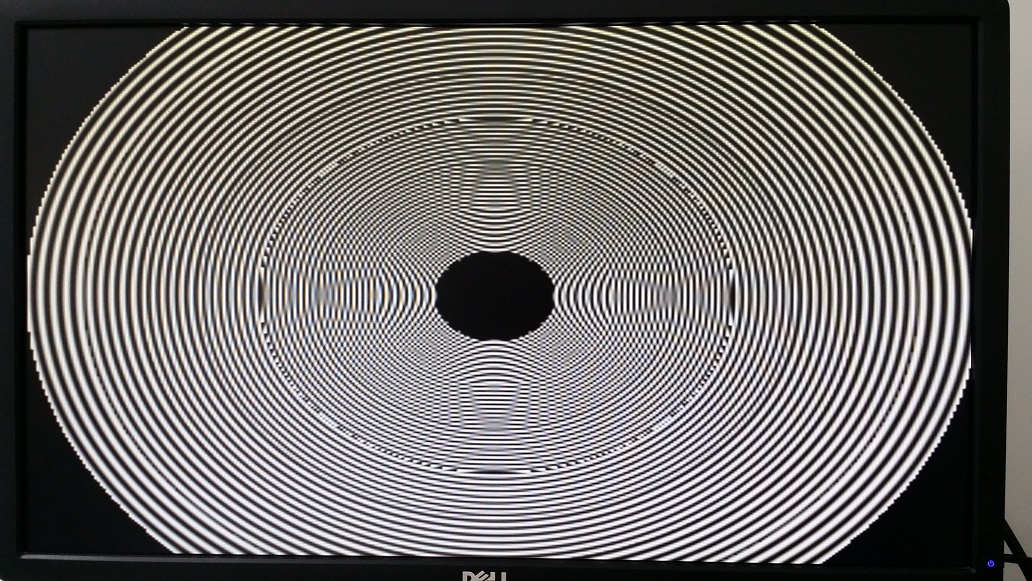
Test pattern allows you to display pre-built image/video patterns on the display. It is very useful when you don't have a camera but still want to test GStreamer.
Default test pattern:

Test pattern with specific parameters on the input element:
Camera Loopback
To stream video from a camera to a display, see Testing Camera Preview on Display
Video Playback
The AM625 does not have a VPU. However, video files can be decoded by the CPU. See the following example:
# gst-launch-1.0 filesrc location=/run/media/sda1/big_buck_bunny.mp4 ! \
   qtdemux name=demux demux. ! queue ! faad ! audioconvert ! audioresample ! alsasink \
   demux. ! queue ! h264parse ! avdec_h264 ! videoconvert ! waylandsink
This GStreamer pipeline performs the following tasks:
- filesrc element reads the file located at /run/media/sda1/big_buck_bunny.mp4.
- qtdemux element demultiplexes the file into audio and video streams. The name demux is assigned to the qtdemux element for later reference.
- The audio stream is selected and passed to a queue element that helps to buffer and smooth the data flow.
- The faad element decodes the audio stream in the Advanced Audio Coding (AAC) format.
- The audioconvert element is used to convert the audio data from one format to another if required.
- The audioresample element is used to change the audio sample rate if required.
- The alsasink element is used to output the audio to the default ALSA sound card.
- The video stream is selected and passed to a queue element that helps to buffer and smooth the data flow.
- The h264parse element parses the H.264 encoded video stream.
- The avdec_h264 element decodes the H.264 encoded video stream.
- The videoconvert element converts the decoded video data to the required output format.
- The waylandsink element is used to output the video to a Wayland display server.
RTP Video streaming
Encode video stream from camera using a software based JPEG encoder and stream it over RTP:
# media-ctl --set-v4l2 '"ov5640 0-003c":0 [fmt:UYVY8_1X16/1280x720@1/30]'
# gst-launch-1.0 v4l2src device=/dev/video0 ! video/x-raw,width=1280,height=720 ! \
     jpegenc ! rtpjpegpay ! udpsink host=192.168.20.60 port=1223
References
- The GStreamer website
- NXP BSP Linux Users Guide, Multimedia section download link