Streaming Video
Introduction to GStreamer
GStreamer is a powerful pipeline-based multimedia framework.
It allows programmers to create a variety of media-handling components, including simple audio playback, audio and video playback, recording, streaming and editing.
This is not a GStreamer reference manual but an overview for using it on the Variscite product based on the AM62 platforms.
Major GStreamer commands
There are two major commands:
gst-inspect - allows you to to get documentation on available elements and detailed information on a specific element.
gst-launch - allows you to create and execute GStreamer pipelines.
gst-inspect
Lists all available elements:
Lists all available sink elements:
For example:
# gst-inspect-1.0 | grep sink
coreelements:  fakesink: Fake Sink
coreelements:  fdsink: Filedescriptor Sink
coreelements:  filesink: File Sink
fbdevsink:  fbdevsink: fbdev video sink
tcp:  tcpclientsink: TCP client sink
tcp:  tcpserversink: TCP server sink
tcp:  multifdsink: Multi filedescriptor sink
tcp:  multisocketsink: Multi socket sink
multifile:  multifilesink: Multi-File Sink
multifile:  splitmuxsink: Split Muxing Bin
bluez:  a2dpsink: Bluetooth A2DP sink
bluez:  avdtpsink: Bluetooth AVDTP sink
video4linux2:  v4l2sink: Video (video4linux2) Sink
...
Detailed help information on a specific element:
For example, the output for waylandsink:
# gst-inspect-1.0 waylandsink
Factory Details:
  Rank                     marginal (64)
  Long-name                wayland video sink
  Klass                    Sink/Video
  Description              Output to wayland surface
  Author                   Sreerenj Balachandran <[email protected]>, George Kiagiadakis <[email protected]>

Plugin Details:
  Name                     waylandsink
  Description              Wayland Video Sink
  Filename                 /usr/lib/gstreamer-1.0/libgstwaylandsink.so
  Version                  1.16.3
  License                  LGPL
  Source module            gst-plugins-bad
  Binary package           GStreamer Bad Plug-ins source release
  Origin URL               Unknown package origin

GObject
 +----GInitiallyUnowned
       +----GstObject
             +----GstElement
                   +----GstBaseSink
                         +----GstVideoSink
                               +----GstWaylandSink

Implemented Interfaces:
  GstVideoOverlay
  GstWaylandVideo

Pad Templates:
  SINK template: 'sink'
    Availability: Always
    Capabilities:
      video/x-raw
                 format: { (string)BGRx, (string)BGRA, (string)RGBx, (string)xBGR, (string)xRGB, (string)RGBA, (string)ABGR, (string)ARGB, (string)RGB, (string)BGR, (string)RGB16, (string)BGR16, (string)YUY2, (string)YVYU, (string)UYVY, (string)AYUV, (string)NV12, (string)NV21, (string)NV16, (string)YUV9, (string)YVU9, (string)Y41B, (string)I420, (string)YV12, (string)Y42B, (string)v308 }
                  width: [ 1, 2147483647 ]
                 height: [ 1, 2147483647 ]
              framerate: [ 0/1, 2147483647/1 ]
      video/x-raw(memory:DMABuf)
                 format: { (string)BGRx, (string)BGRA, (string)RGBx, (string)xBGR, (string)xRGB, (string)RGBA, (string)ABGR, (string)ARGB, (string)RGB, (string)BGR, (string)RGB16, (string)BGR16, (string)YUY2, (string)YVYU, (string)UYVY, (string)AYUV, (string)NV12, (string)NV21, (string)NV16, (string)YUV9, (string)YVU9, (string)Y41B, (string)I420, (string)YV12, (string)Y42B, (string)v308 }
                  width: [ 1, 2147483647 ]
                 height: [ 1, 2147483647 ]
              framerate: [ 0/1, 2147483647/1 ]

Element has no clocking capabilities.
Element has no URI handling capabilities.

Pads:
  SINK: 'sink'
    Pad Template: 'sink'

Element Properties:
  async               : Go asynchronously to PAUSED
                        flags: readable, writable
                        Boolean. Default: true
  blocksize           : Size in bytes to pull per buffer (0 = default)
                        flags: readable, writable
                        Unsigned Integer. Range: 0 - 4294967295 Default: 4096
  display             : Wayland display name to connect to, if not supplied via the GstContext
                        flags: readable, writable
                        String. Default: null
  enable-last-sample  : Enable the last-sample property
                        flags: readable, writable
                        Boolean. Default: true
  fullscreen          : Whether the surface should be made fullscreen
                        flags: readable, writable
                        Boolean. Default: false
  last-sample         : The last sample received in the sink
                        flags: readable
                        Boxed pointer of type "GstSample"
  max-bitrate         : The maximum bits per second to render (0 = disabled)
                        flags: readable, writable
                        Unsigned Integer64. Range: 0 - 18446744073709551615 Default: 0
  max-lateness        : Maximum number of nanoseconds that a buffer can be late before it is dropped (-1 unlimited)
                        flags: readable, writable
                        Integer64. Range: -1 - 9223372036854775807 Default: 5000000
  name                : The name of the object
                        flags: readable, writable
                        String. Default: "waylandsink0"
  parent              : The parent of the object
                        flags: readable, writable
                        Object of type "GstObject"
  processing-deadline : Maximum processing deadline in nanoseconds
                        flags: readable, writable
                        Unsigned Integer64. Range: 0 - 18446744073709551615 Default: 15000000
  qos                 : Generate Quality-of-Service events upstream
                        flags: readable, writable
                        Boolean. Default: true
  render-delay        : Additional render delay of the sink in nanoseconds
                        flags: readable, writable
                        Unsigned Integer64. Range: 0 - 18446744073709551615 Default: 0
  show-preroll-frame  : Whether to render video frames during preroll
                        flags: readable, writable
                        Boolean. Default: true
  sync                : Sync on the clock
                        flags: readable, writable
                        Boolean. Default: true
  throttle-time       : The time to keep between rendered buffers (0 = disabled)
                        flags: readable, writable
                        Unsigned Integer64. Range: 0 - 18446744073709551615 Default: 0
  ts-offset           : Timestamp offset in nanoseconds
                        flags: readable, writable
                        Integer64. Range: -9223372036854775808 - 9223372036854775807 Default: 0
Test Pattern Stream
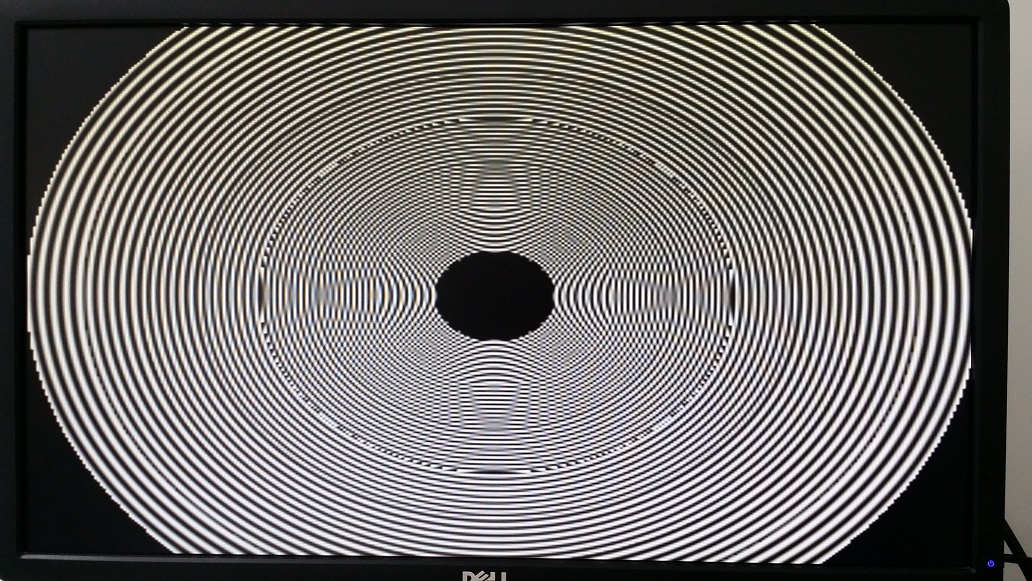
Test pattern allows you to display pre-built image/video patterns on the display. It is very useful when you don't have a camera but still want to test GStreamer.
Default test pattern:

Test pattern with specific parameters on the input element:
Camera Loopback
To stream video from a camera to a display, see Testing Camera Preview on Display
Video Playback
The AM625 does not have a VPU. However, video files can be decoded by the CPU. See the following example:
# gst-launch-1.0 filesrc location=/run/media/sda1/big_buck_bunny.mp4 ! \
   qtdemux name=demux demux. ! queue ! faad ! audioconvert ! audioresample ! alsasink \
   demux. ! queue ! h264parse ! avdec_h264 ! videoconvert ! waylandsink
The pipeline mentioned above requires the use of the H.264 codec. The usage of this codec for commercial purposes requires license fees which is why it is not activated on the default Recovery Image.
If this pipeline example fail, make sure that you have built your own image with commercial licenses enabled.
This GStreamer pipeline performs the following tasks:
- filesrc element reads the file located at /run/media/sda1/big_buck_bunny.mp4.
- qtdemux element demultiplexes the file into audio and video streams. The name demux is assigned to the qtdemux element for later reference.
- The audio stream is selected and passed to a queue element that helps to buffer and smooth the data flow.
- The faad element decodes the audio stream in the Advanced Audio Coding (AAC) format.
- The audioconvert element is used to convert the audio data from one format to another if required.
- The audioresample element is used to change the audio sample rate if required.
- The alsasink element is used to output the audio to the default ALSA sound card.
- The video stream is selected and passed to a queue element that helps to buffer and smooth the data flow.
- The h264parse element parses the H.264 encoded video stream.
- The avdec_h264 element decodes the H.264 encoded video stream.
- The videoconvert element converts the decoded video data to the required output format.
- The waylandsink element is used to output the video to a Wayland display server.
RTP Video streaming
Encode video stream from camera using a software based JPEG encoder and stream it over RTP:
# media-ctl --set-v4l2 '"ov5640 0-003c":0 [fmt:UYVY8_1X16/1280x720@1/30]'
# gst-launch-1.0 v4l2src device=/dev/video0 ! video/x-raw,width=1280,height=720 ! \
     jpegenc ! rtpjpegpay ! udpsink host=192.168.20.60 port=1223
References
- The GStreamer website
- NXP BSP Linux Users Guide, Multimedia section download link