Streaming Video
Introduction to GStreamer
GStreamer is a powerful pipeline-based multimedia framework. It allows programmers to create a variety of media-handling components, including simple audio playback, audio and video playback, recording, streaming and editing. This is not a GStreamer reference manual but an overview for using it on the Variscite i.MX9 products. This release uses the gstreamer-imx set of GStreamer 1.0 plugins for NXP's i.MX platform, which make use of the i.MX multimedia capabilities.
Major GStreamer commands
There are two major commands: gst-inspect - allows you to get documentation on available elements and detailed information on a specific element. gst-launch - allows you to create and execute GStreamer pipelines.
gst-inspect
Lists all available elements/plugins:
For example, to list available video sink elements:
# gst-inspect-1.0  | grep -i sink | grep video
autodetect:  autovideosink: Auto video sink
cluttergst3:  clutterautovideosink: Generic bin
debugutilsbad:  fakevideosink: Fake Video Sink
debugutilsbad:  fpsdisplaysink: Measure and show framerate on videosink
debugutilsbad:  videocodectestsink: Video CODEC Test Sink
decklink:  decklinkvideosink: Decklink Video Sink
fbdevsink:  fbdevsink: fbdev video sink
inter:  intervideosink: Internal video sink
kms:  kmssink: KMS video sink
opengl:  glimagesinkelement: OpenGL video sink
video4linux2:  v4l2sink: Video (video4linux2) Sink
waylandsink:  waylandsink: wayland video sink
To list available video decoders:
# gst-inspect-1.0 | grep -i decoder | grep video
basedebug:  fakevideodec: Fake Video Decoder
flxdec:  flxdec: FLX video decoder
theora:  theoradec: Theora video decoder
vmnc:  vmncdec: VMnc video decoder
To view the detailed information about a specific element:
For example, the output for video4linux2:
# gst-inspect-1.0 video4linux2
Plugin Details:
  Name                     video4linux2
  Description              elements for Video 4 Linux
  Filename                 /usr/lib/gstreamer-1.0/libgstvideo4linux2.so
  Version                  1.24.0
  License                  LGPL
  Source module            gst-plugins-good
  Documentation            https://gstreamer.freedesktop.org/documentation/video4linux2/
  Source release date      2024-03-04
  Binary package           GStreamer Good Plug-ins source release
  Origin URL               Unknown package origin

  v4l2deviceprovider: Video (video4linux2) Device Provider
  v4l2radio: Radio (video4linux2) Tuner
  v4l2sink: Video (video4linux2) Sink
  v4l2src: Video (video4linux2) Source

  4 features:
  +-- 3 elements
  +-- 1 device providers
Test Pattern Stream
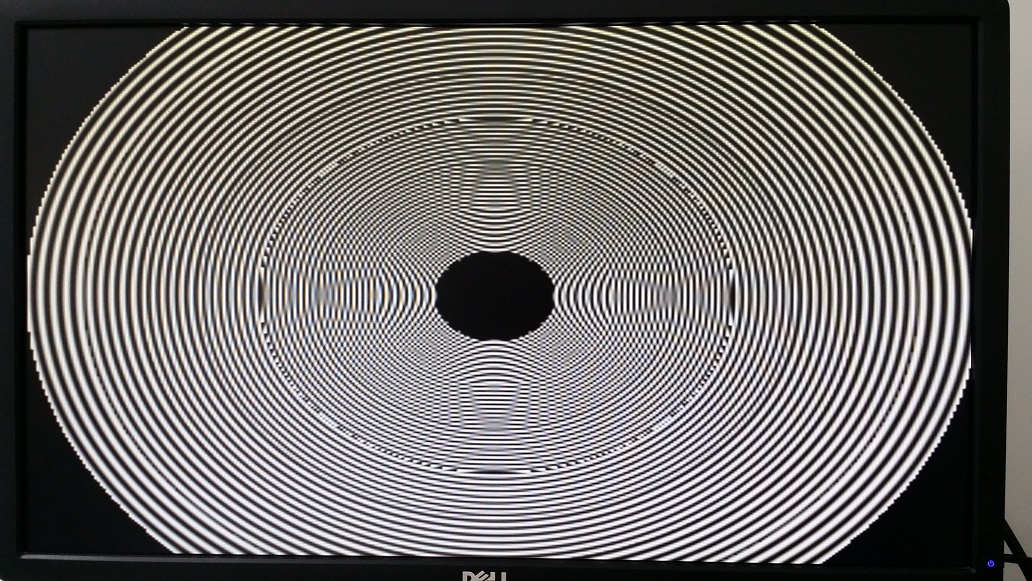
Test pattern allows you to display pre-built image/video patterns on the display. It is very useful when you don't have a camera but still want to test GStreamer. Default test pattern:

Test pattern with specific parameters on the input element:
XDG_RUNTIME_DIR=/run/user/0 WAYLAND_DISPLAY=wayland-1 gst-launch-1.0 videotestsrc pattern=circular ! waylandsink
References
- The GStreamer website
- NXP BSP Linux Users Guide, Multimedia section Link to Guide